










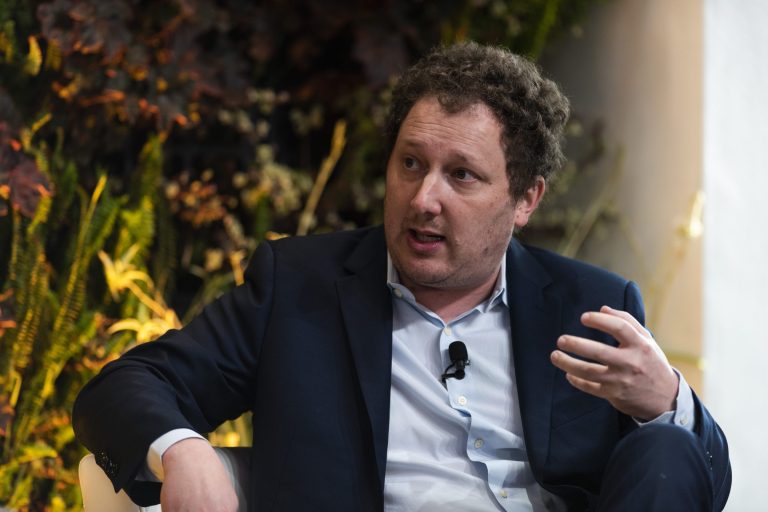
The Claim: CEOs not using AI daily are only 80% as good as their peers
According to an article in Fortune, David Rogier, co-founder and CEO of MasterClass, said that “CEOs who are not using AI daily are only 80 percent as good as their peers.” He also shared that he has built an AI clone of himself (a custom GPT) which in effect lets him offload tasks, freeing up what he claims to be a full additional workday.
Taken at face value, that’s a stark statement: use AI daily or fall behind by 20 %. It frames AI not just as a tool but as a competitive necessity for executives.
Is that exaggeration? Is it hyperbole to sell AI adoption? Probably partially. But there’s substance beneath such rhetoric, and real lessons to draw.
What does “80 % as good” really imply?
The claim is metaphorical rather than scientific, but it does communicate several intertwined ideas:
- Efficiency gap
A leader using AI daily can automate, delegate, or accelerate many tasks (research, writing, summarization, ideation). A non-AI user spends more time on low-leverage work. Over months or years, those productivity differentials compound. - Signal to organization
If the CEO is not integrating AI, the rest of the company may see it as optional or non-strategic. That sets a tone: “this is extra, not essential.” An AI-using CEO signals urgency and normalization of AI tools. - Cognitive leverage
AI tools effectively let a leader extend their “mental horsepower.” Prompting, checking, iterating is faster than doing everything from scratch. The “clone” metaphor underscores that the AI does much of the heavy lifting. - Missing marginal gains
Even small tasks—drafting emails, summarizing reports, doing SEO research, generating outlines—take time. Eliminating friction in many small tasks adds up to major advantage.
So “80 % as good” is a shorthand for “you leave money and time on the table,” not a literal performance measurement.
The “custom GPT SEO / article” that saves a day of work
Rogier mentions that he has a custom AI (a GPT) that helps him with content work so efficiently that he effectively regained a full day. Let’s break down how that might work in practice, and where the gains come from (and where the limits lie).
How a well-designed custom GPT can deliver big leverage
Here’s how such a tool could really shave off hours (or more) in an executive’s content/SEO workflow:
| Function / task | Traditional approach | With a custom GPT | Time & quality gain |
|---|---|---|---|
| Topic ideation & keyword research | Human brainstorming, lookup tools | AI trained on industry and brand data suggests topic angles, keyword clusters | Minutes vs hours, more coverage of niche subtopics |
| Content outline & structure | Manually draft outline | GPT generates a detailed SEO-aware structure (headings, subpoints, internal links) | Avoids blank page, ensures SEO logic baked in |
| Drafting the article | Write from scratch or patch from research | GPT writes first draft, weaving in points, style, SEO best practices | Speeds up writing heavily |
| Revisions & adjustments | Manually edit, reorganize | GPT can accept feedback (“add this, remove that, make tone more formal”) and re-output | Iterative refinement much faster |
| SEO checks / on-page optimization | Use SEO tools and manual tweaks | GPT pre-checks for keyword density, headings, meta descriptions, alt text, internal linking | Less back-and-forth with SEO tools |
| Repurposing / summarization | After article done, manually create social posts, email snippets | GPT can auto-generate smaller formats: tweet threads, LinkedIn posts, newsletter snippet | One draft becomes many formats |
| Alerts & updates | Periodically review content performance and refreshing | GPT can scan and suggest updates based on new keywords, trends, competitor changes | Keeps content alive and optimized |
When you sum all those savings across multiple articles, drafts, tweaks, repurposing cycles — yes, it’s plausible to “save a day” (or more) relative to the old manual process.
A few caveats:
- The GPT’s effectiveness strongly depends on how well it’s trained/tuned (its “instruction set,” examples, brand voice). A generic GPT won’t do this as cleanly.
- You still need human oversight — fact checking, nuance, creativity, judgment.
- For highly technical or deeply domain-specific content, the AI may need more calibration.
- The first few articles may take longer, as you refine prompts, fix errors, iterate the logic.
But once you lock in a workflow, the throughput multiplier is real.
Does the evidence support the claim?
We should be cautious about accepting the “80 % as good” number literally. But several signals support the core idea that AI can give leaders a serious edge:
- Many executives already using AI — Leaders are increasingly using generative AI tools (ChatGPT, Claude, etc.) to draft emails, brainstorm, summarize meetings. Those gains aggregate.
- Case stories of time savings — Marketers, consultants, content creators report saving hours per week using AI assistants.
- Organizational momentum — Companies pushing AI adoption see culture shifts and productivity benefits when top leadership models AI use.
- Compounding advantage — The first adopter often gains disproportionate leverage.
But counterpoints exist:
- Overreliance can backfire (poor quality, hallucinations).
- If everyone starts using AI, the relative advantage may shrink.
- The “human in the loop” and decision making still matter. AI doesn’t replace leadership, but augments it.
Thus, the 80 % figure is rhetorical exaggeration to sharpen focus and urgency, but the underlying insight holds: using AI daily is rapidly becoming nonoptional if one wants to stay in the top tier.
How to build your own “custom GPT for SEO / articles” (so you can reclaim a day too)
If you believe Rogier’s claim and want to act, here’s a step-by-step guide to build your own custom GPT (or equivalent AI workflow) to supercharge your content / SEO system.
1. Define your use cases and workflows
Before jumping in, map out the tasks you want AI to help with. E.g.:
- Keyword research & topic generation
- Outline & content drafting
- SEO compliance / on-page checks
- Revisions / feedback loops
- Repurposing into social posts, emails
- Periodic content refresh
The more repeatable and systematized your process, the better fit for a GPT.
2. Gather your training material & examples
To “teach” your custom GPT your voice, preferences, and domain:
- Use your past best articles, blogs, speeches.
- Annotate examples: show “good vs bad” drafts, highlight sections and revisions.
- Provide SEO guidelines: target keyword list, style guides, voice/tone notes.
- Include competitor content or reference materials if relevant.
These act as “in-context examples” or few-shot prompts inside your custom model.
3. Write precise instructions & prompt templates
A custom GPT works best when the “instruction layer” is clear. Some tips:
- Tell it exactly the role it is (“You are my SEO article co-author for X domain, you must follow these format rules…”)
- Provide step-by-step processes (outline first, then draft, then revision).
- Use placeholders (e.g. “[Insert statistic]”, “[Add a subheading on topic Y]”) rather than free text every time.
- Build prompt templates (you or your team can feed into it every time) for standard content types (e.g. blog, listicle, deep dive).
4. Test iteratively and refine
- Run pilot drafts; compare the AI’s output vs your ideal output.
- Identify error modes (hallucinations, tone drift, repetition) and add guardrails or rules to the instruction layer.
- Collect feedback from readers (or internal team) and adjust.
- Version control the instruction sets so you can roll back.
5. Build connectors & automations
- Use APIs or Zapier / Make / Integromat to integrate input/output (e.g. from Google Docs, SEO tools, CMS).
- Automate checks: have the GPT output SEO checks (meta, headings, internal links) in a structured checklist format.
- Automate repurposing: once article is accepted, trigger generation of social posts, email teasers, visuals, etc.
6. Establish a human review loop & guard against risks
- Every output should be reviewed (especially initially) for factual accuracy, tone, brand alignment.
- Maintain a log of mistakes/hallucinations to refine prompts.
- Don’t depend entirely on AI for controversial or strategic content.
- Keep your intellectual property, source data, and training material in safe control.
7. Scale & institutionalize
- Once your custom GPT is producing near-ready drafts, shift your mindset: you are no longer writing every article, you are supervising and curating.
- Train team members to use it (provide guidelines, tutorials).
- Embed AI usage in your editorial calendar, content SOPs.
- Measure the time saved, content throughput, quality metrics over months to validate ROI.
What to watch out for — risks & pitfalls
- Hallucinations / factual errors — The GPT might invent data, statistics, quotes. Rigorously check citations.
- Tone drift / brand mismatch — The model might deviate. Enforce style guides.
- SEO over-optimization — Overfitting to keywords can make content awkward or penalized. Balance human readability.
- Dependence & complacency — Don’t let AI become a crutch; still bring your critical thinking, judgment, creativity.
- Overpromise, underdeliver — Some tasks are still better by humans (e.g. deep original insights, interviews, edgy voice).
- Security / privacy — If using internal data, ensure the AI tool handles confidential information appropriately.
- Scaling trap — Don’t produce content merely for volume; maintain standards.
Sample narrative: how a CEO might shift their day using this
Imagine you are a CEO who needs to publish one long, in-depth article per week (to maintain thought leadership). Under the old system:
- You spend 1 hour on topic research and brainstorming
- 2 hours in outlining / structure
- 3 hours drafting
- 1 hour revising
- 0.5 hour SEO check & meta / images
- 1 hour repurposing into posts / email / social
- Total: ~8.5 hours
With a custom GPT:
- Prompt topic ideas: 5 min
- AI generates outline + first draft: 1 hour
- You edit & revise: 1 hour
- AI checks SEO & suggests improvements: 10 min
- AI repurposes formats: 10 min
- Final review and polish: 30 min
- Total: ~3 hours
That’s a savings of 5+ hours just on one major content piece. Multiply by 3–4 content assets per month, you reclaim 1–2 full workdays easily.
Meanwhile, tasks like internal memos, reports, email drafting, summarizing reading material can also be offloaded incrementally to AI assistants. Over days/weeks, the cumulative freed time is substantial.
This lines up with Rogier’s claim that he’s “saved an entire day” via his custom GPT setup. It’s not magic, but compounding leverage.
Final thoughts & your next move
- The “80 % as good” line is rhetorical but powerful: it underscores that daily AI use is quickly becoming a core competency for high performers.
- A well-constructed custom GPT for content / SEO is among the highest-leverage applications for leaders (given how content and visibility cascade into influence, partnerships, growth).
- The key is to treat the AI not as a magic wand, but as a highly trained assistant that you guide, teach, and correct.
- Start small: pick one content workflow, build a prototype, test, measure, iterate.
- Over time, the laggards will fall further behind, especially if AI adoption becomes the new baseline expectation.